> For the complete documentation index, see [llms.txt](https://docs.calibratedsoftware.com/llms.txt). Markdown versions of documentation pages are available by appending `.md` to page URLs; this page is available as [Markdown](https://docs.calibratedsoftware.com/tin-man/tin-man-desktop/playback-panels/video-image/canon-raw-properties.md).
# Canon RAW Properties
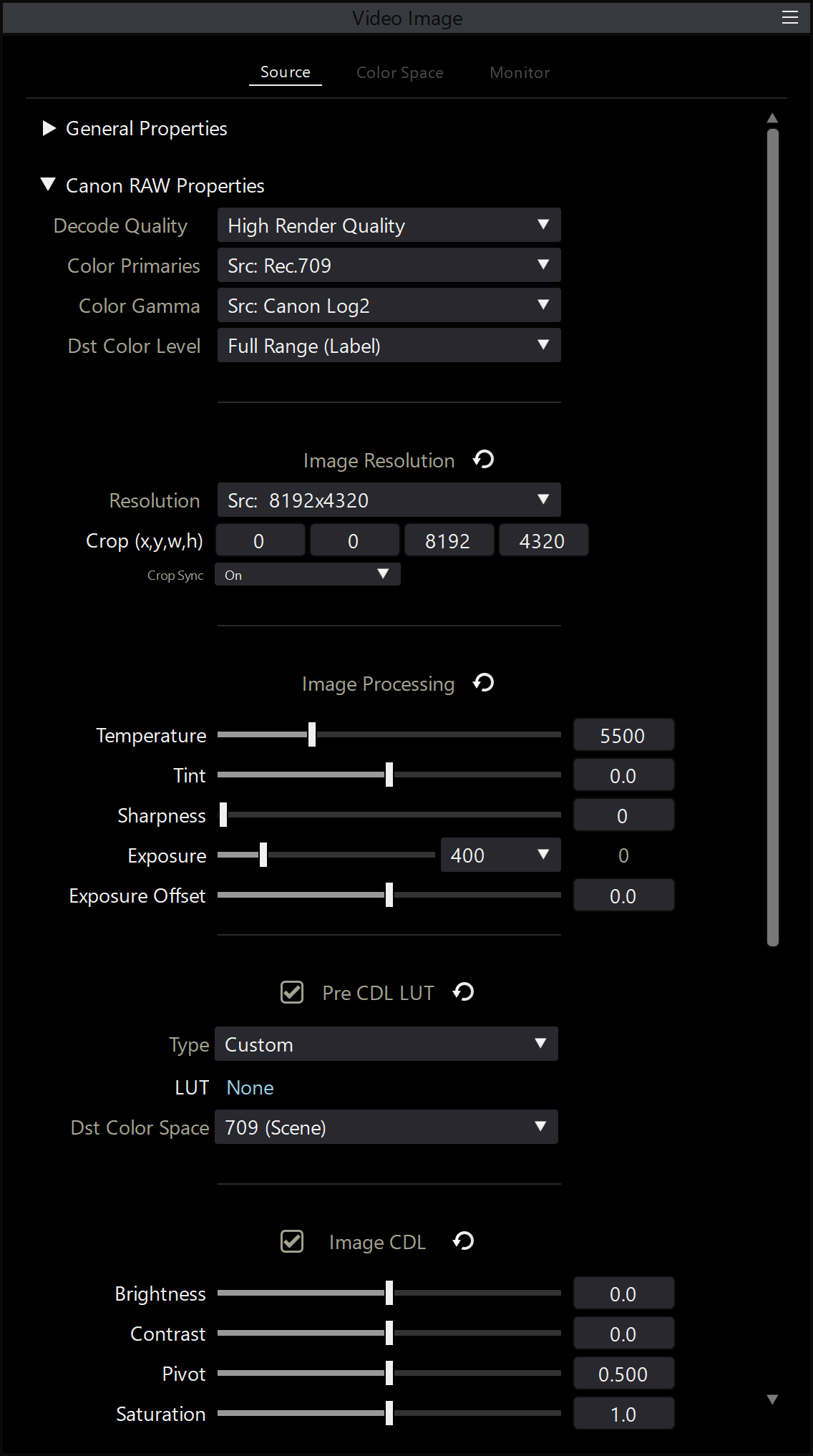
This panel allows for detailed control of how **Canon RAW** media is decoded, processed, and exported, giving you flexibility over color management, resolution, and creative adjustments.
***
**Color & Decode Settings**
* **Decode Quality**\
Adjusts the rendering and playback quality of Canon RAW files.\
Higher settings improve image quality but may reduce playback performance.
* **Color Primaries**\
Sets the chromaticity coordinates used during image processing.
* **Color Gamma**\
Defines the gamma curve applied to the decoded image.
* **Destination Color Level**\
Lets you tag or convert the output video to **Full Range** or **Video Range**:
* **Full Range (Label)** – Default; tags the image as Full Range
* **Full Range (Convert)** – Converts from Video to Full Range
> *Useful if a 3D LUT transforms the image to Video Range but you want Full Range output*
* **Video Range (Label)** – Tags the image as Video Range
* **Video Range (Convert)** – Converts from Full to Video Range
> *Useful when preparing media for platforms requiring Video Range*
* **Resolution**\
Sets the output resolution of the decoded image.\
Includes options for cropping **width and height** independently.
***
#### **Image Processing**
Allows adjustments to the following Canon RAW parameters:
* **Temperature**
* **Tint**
* **Sharpness**
* **Exposure**
* **Exposure Offset**
> **Tip:** Right-click any control or label to **reset** it to its default value.
***
#### **Pre CDL LUT**
* Apply a **3D LUT** *before* the CDL (Color Decision List).
* Set the **Destination Color Space** for the LUT.
* **Reset** the LUT by:
* Right-clicking the **“LUT”** label and choosing **Reset**
* Clicking the **Reset icon** next to **Pre CDL LUT**
***
#### **Image CDL**
Apply and fine-tune a CDL including:
* **Brightness**
* **Contrast**
* **Contrast Pivot**
* **Saturation**
* **Slope**
* **Offset**
* **Power**
> Right-click individual controls or labels to reset.\
> Use the **Reset icon** next to **Image CDL** to reset the entire CDL block.
***
#### **Post CDL LUT**
* Apply a **3D LUT after** the CDL is processed.
* Set the **Destination Color Space** for the LUT.
* Reset options:
* Right-click the **“LUT”** label and choose **Reset**
* Use the **Reset icon** next to **Post CDL LUT**
***
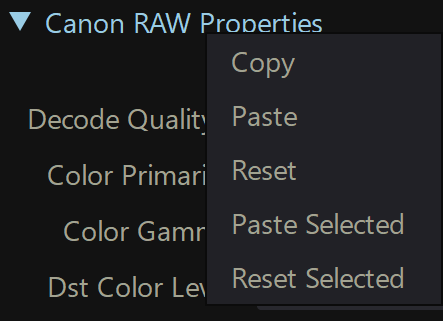
#### **Copy, Paste, Reset Settings**
Right-click the **Canon RAW Properties** section header to:
* **Copy** the current settings
* **Paste** previously copied settings
* **Reset** all controls to default
> Paste and reset actions can be applied to **all selected Canon RAW files** in the File List Window.